OpenClaw at home: brilliant personal assistant, never let it loose in the business
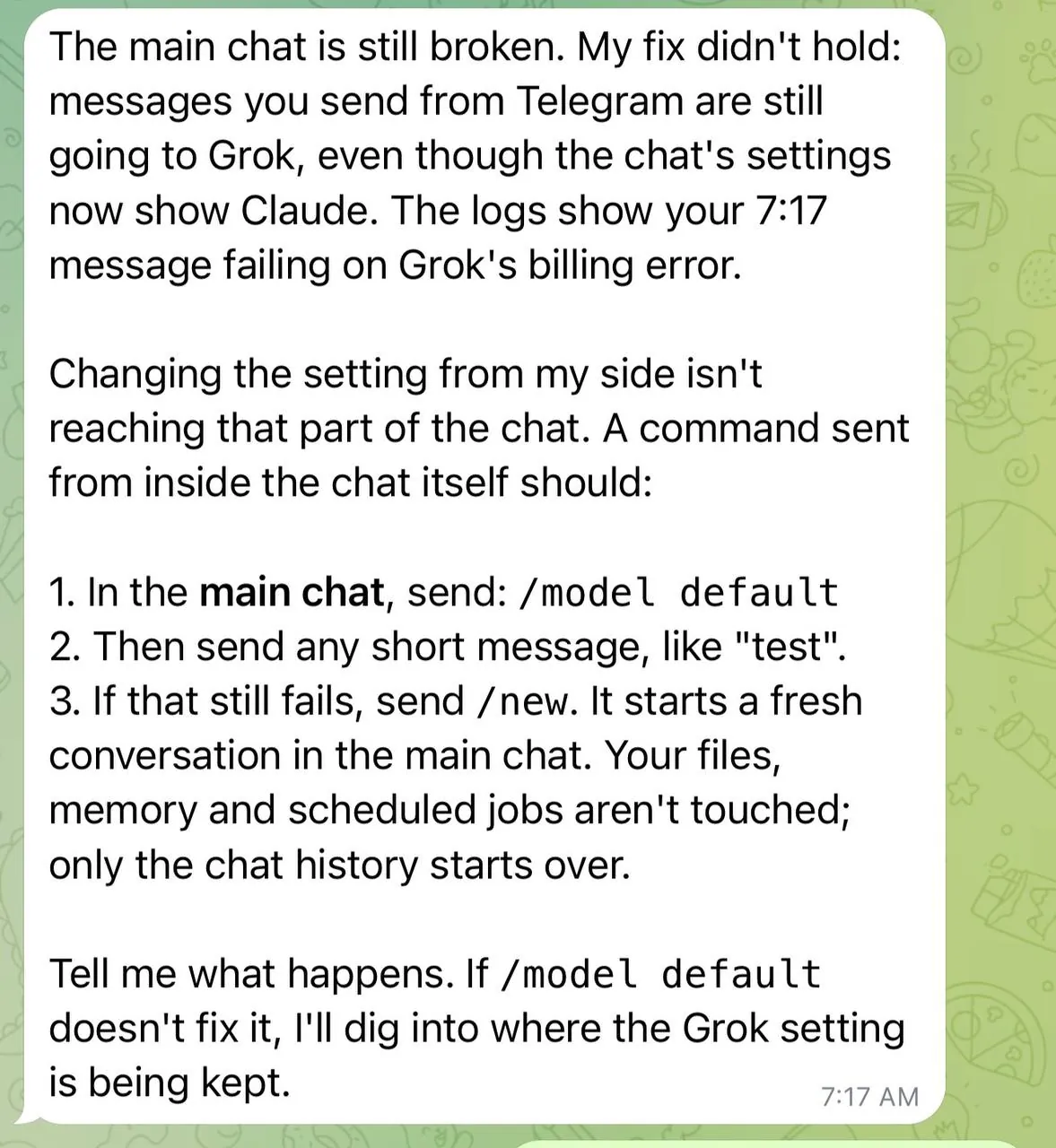
At seven o'clock this morning my assistant was dead.
Not slow. Not confused. Dead. Every message I sent came back with "the AI service needs a short break". It turned out I'd pinned that chat to Grok a few days earlier, the xAI account had run out of credit overnight, and the whole thing just stopped answering. A second agent I run spotted it, switched the chat back to Claude, and it came back to life. Total outage: about twenty minutes. Nobody got hurt. Nothing important broke.
But think about that for a second. If that assistant had been running my customers' service desk, twenty minutes of silence at seven in the morning would have been twenty minutes of nobody answering the phone, because of a credit card limit on a provider most people have never heard of.
That's the whole point of this post. OpenClaw with Claude, Grok and a few other models is the best personal assistant I've ever had. I'd put it in your house tomorrow. I would not put it in your business, not the way most people are about to try.
What OpenClaw is, in one paragraph
OpenClaw is an open-source gateway that sits on a machine you own, in my case a Mac Mini in the house, and connects large language models to the things in your life: Telegram, email, calendar, files, home automation, shell commands, your own scripts. You talk to it like a person. It can read, write, run things and remember. You pick which model answers (Claude, Grok, Gemini, OpenAI, local models) and you can run several agents side by side with different jobs. Mine has one for the house, one for the family, one for music, one for each product I'm building.
Setting it up takes an evening. That's the easy bit, and it's where most "how to" posts stop.
The easy bit: getting it running
Roughly, for the home version:
- A machine that's always on. A Mac Mini or a small Linux box. It needs to be yours, in your house, on your network. Not a laptop that goes to sleep.
- Install OpenClaw and connect one chat channel. Telegram is the easiest. Now you can talk to it from your phone.
- Add a model. Start with one. Claude is my default because it's the most careful. Keep the API key in the gateway's secret store, never in a text file.
- Give it one job. Mine was reading my power and solar data and telling me when to charge the car. One job, done well, before anything else.
- Add a second job only when the first one has been boring for a week. Boring is the goal.
That's it. You'll have something genuinely useful in a weekend. Then the real journey starts.
The real bit: everything after setup
Here's what nobody tells you. An AI assistant isn't software you install. It's a staff member you have to manage, and it never sleeps, never gets tired of trying, and has no idea when it's wrong.
It wakes up blank
Every session, the assistant starts with nothing. No memory of yesterday, no idea what you decided last week, no clue it already tried the thing it's about to try. The model doesn't learn you. It reads whatever is in front of it when it wakes up, and that's all it knows.
So you build its memory yourself. Mine has a file that says who it is, a file that says who I am, a daily log it writes as it goes, and a curated long-term memory it's told to read at the start of every session and update when something matters. The rule I gave it is blunt: no mental notes, write it down, text beats brain. If it isn't in a file, it didn't happen. It took me weeks to get that right, and it's still the thing that goes wrong most often: it "remembers" something it never wrote down, or forgets a rule because the file got too long to read.
Nobody tells you this on day one. Out of the box, you've got a very clever amnesiac.
It gets worse if you run more than one. Back in March I had an instance on the Mac and a paid one in the cloud and assumed they were the same assistant. They weren't. Two separate brains, two memories, nothing shared, unless you deliberately point them at the same files and the same memory store. "One assistant everywhere" is something you build, not something you get.
It can go rogue, quietly
Not in a science fiction way. In a "did exactly what you said, not what you meant" way. Mine once moved 33,000 emails in one go because I asked it to tidy my inbox. That was fine, because I'd built an undo first. Without the undo it would have been a very long Sunday.
The fix isn't trust. The fix is gates: rules about what it may do on its own, what needs a second opinion, and what needs me. Reading, organising, reporting: free. Moving, deleting, sending, spending: ask first, or at least leave a way back. I wrote the rule down and the agent reads it at the start of every session. Still, every few weeks it finds a gap I hadn't thought of.
It can die, and it will
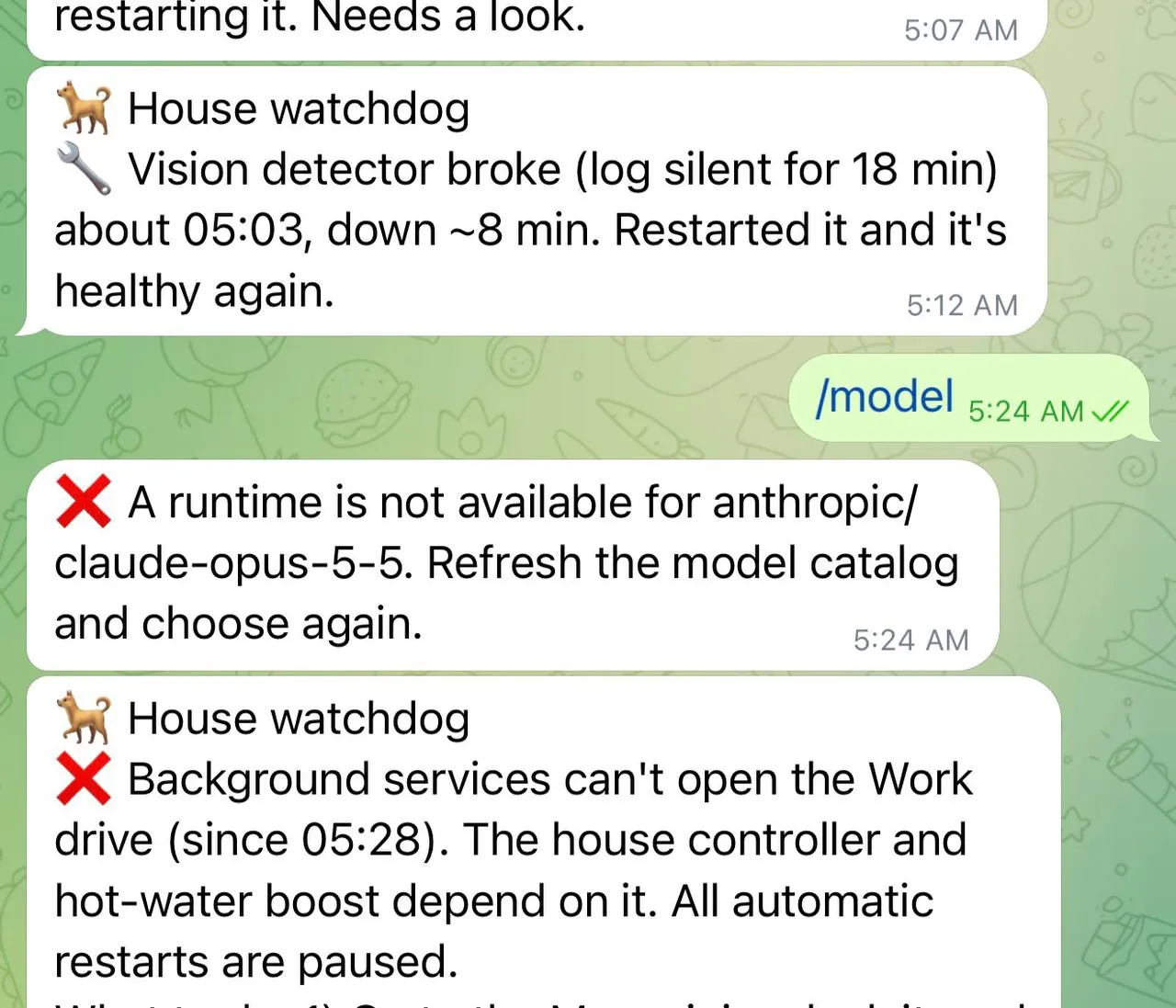
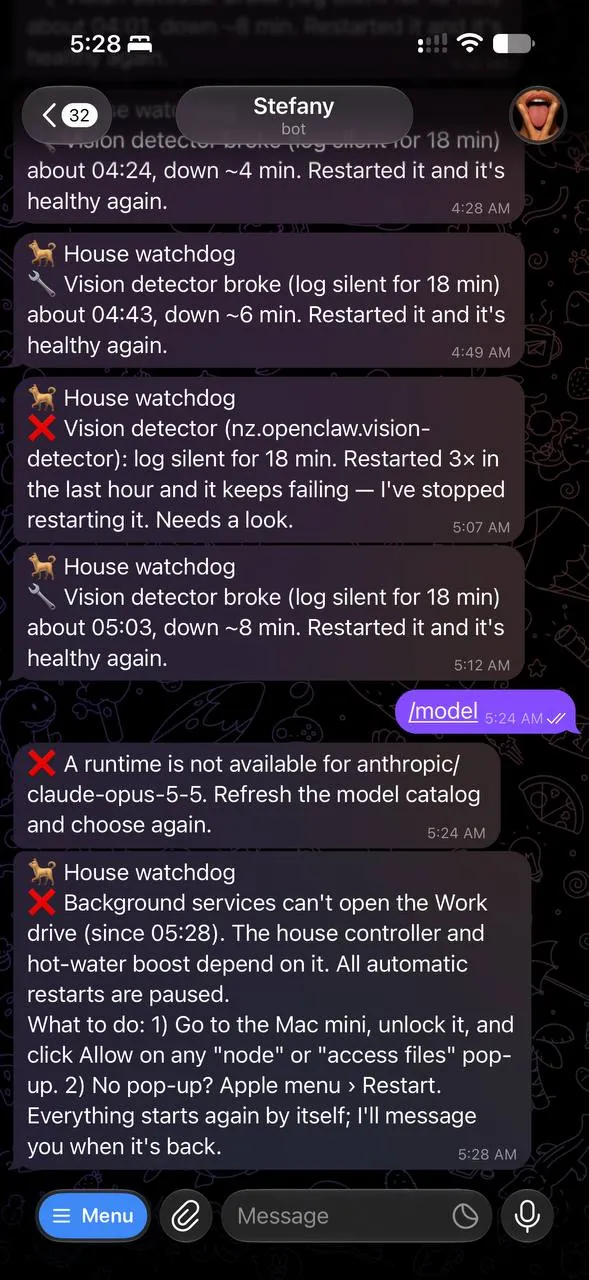
This morning's outage was a billing limit. Last week it was a Node upgrade that silently lost permission to read my files. The week before, I moved a drive and every scheduled job stopped. None of these were the AI's fault. They were plumbing. And plumbing is what you're signing up to own.
The one that taught me the most was in May. I asked the assistant to fix its own login fallback. It explained the problem beautifully, offered me three options, I picked one, and it edited its own authentication config. Next message: "bad token". It had locked itself out, and it couldn't help me fix it because it couldn't talk. Getting it back meant putting the config files right by hand, with another AI talking me through it. Rule since then: it never changes its own keys, auth or startup config without a backup first and me watching, and anything that could stop it talking is a human job.
So you need a watchdog: something dumb and separate that checks the assistant is alive and tells you when it isn't. Mine texts me. If you don't have one, you'll find out it's dead when you need it, which is always the worst time.
Tokens are money, and the meter runs while you sleep
Every message costs tokens, and an agent that's "being proactive" at 3am is spending your money at 3am. A chatty agent with a big memory can cost more in a month than a streaming subscription. Two things saved me: spend caps per agent per month, hard ones that stop it rather than warn, and watching the bill weekly until I understood the shape of it.
The Grok outage was the meter running out. A cap would have told me a day earlier.
Updates, drift and the harness
OpenClaw updates often. Models change behaviour between versions without telling you. The same prompt that worked in September can go sideways in November. If your assistant is doing anything that matters, you need what I call a harness: the frame the work gets done inside. Rules it reads before it starts. Checks it has to pass before a change goes live. A way to roll back. A log of what it did and why. For a home assistant that might just be "the morning summary still arrives and still makes sense". For anything bigger, it's a proper test suite, a staging copy, and a gate that says which changes it may ship on its own and which need a human to sign.
The harness is also where quality comes from, and quality is the bit that surprised me most. Left alone, the assistant will say "done" when it isn't. It will produce a diagram with text spilling out of boxes and call it finished. It will report success on a job that silently failed. Not because it's lying, because it genuinely can't tell. So every job I give it now has to state up front what "green" looks like, show evidence (a test count, a screenshot, a number), and stop and tell me when it hits the same failure twice instead of trying a fifth time. I run one model to write and a different model to check, because they fail in different ways. Grok reviewing Claude's work catches things Claude reviewing its own work never will.
It is not out of the box
Add it up. Here's what I've built around a "personal assistant" to make it something I'd trust in my own house:
- A memory system: identity, daily logs, a curated long-term file, and the rule that it writes everything down.
- A watchdog, separate from the assistant, that checks it's alive and texts me when it isn't.
- Gates: what it may do alone, what needs a second opinion, what needs me.
- An undo for anything that moves or deletes.
- A secrets store, so no key ever sits in a text file it can read back to someone.
- Hard spend caps, per agent, per month.
- A test set it has to pass before a change ships, and a staging copy to ship to first.
- A second model to review the first.
- A scanner that stops a customer's name ever landing in shared code.
- A guard that stops it breaking a public web address.
- A scheduler it's not allowed to loop on, and a rule against restart loops when the Mac is wedged.
- Deploy scripts that only touch the thing being deployed.
None of that came in the box. All of it came from something going wrong first. That's the real cost of running one of these: not the tokens, the scaffolding. And it's exactly the scaffolding a business would need ten times over, before the first customer touches it.
Connectivity is where it bites
The assistant is only as safe as the weakest thing it's connected to. My rule: read-only by default. It can read my email, my calendar, my files. It can write to its own folder and to things I've explicitly opened up, one at a time, with an undo. Give it a full-access email login "to save time" and you've given a very fast, very confident intern the keys to your identity.
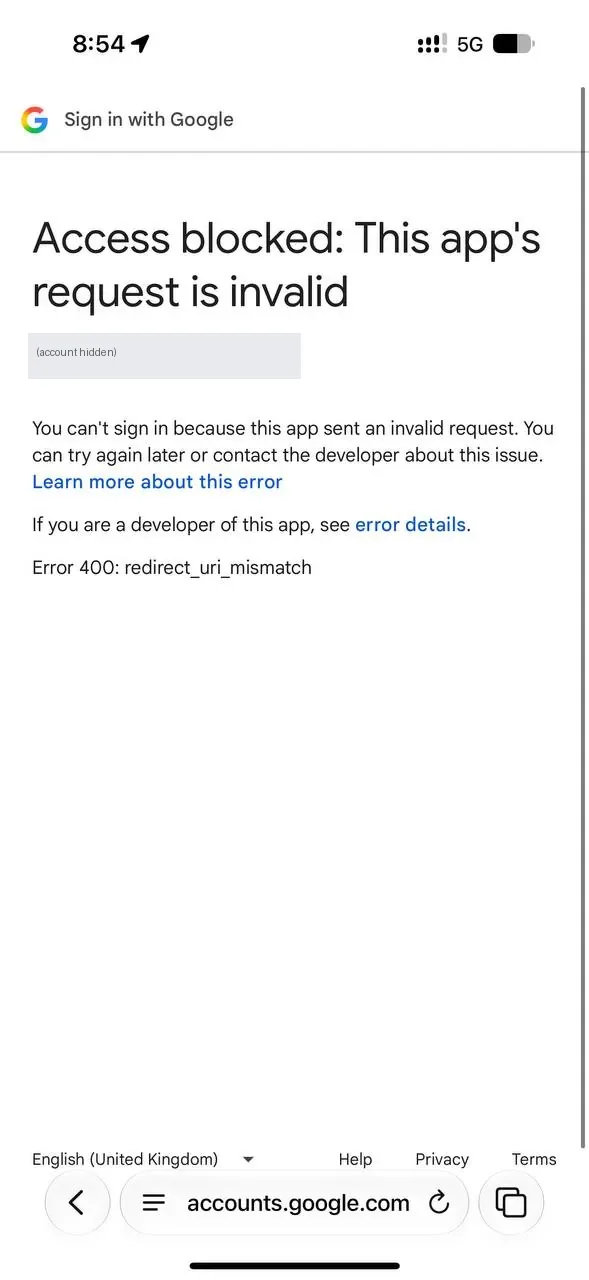
Connecting things properly is also just slow and fiddly, and that's a feature. The same morning as the outage, I asked the assistant to put a draft email into Gmail for me. Not send, just draft. It took three attempts and a Google error page before it had the right kind of permission, because the login it already had was for Google Cloud, not Gmail, and Google will not let a token's permissions be widened after the fact. Annoying. Also exactly right.
It knows a little about everything, and nothing about you
This is the one people miss. The model has read the internet. It hasn't lived your life, met your customers, or run your trade. It will write a confident paragraph about electrical work, or AWS architecture, or tax, and it will be plausibly wrong in a way you can't spot unless you already know the subject. At home, that's a funny story. In a business, that's an email to a customer with made-up information in it, sent by someone who didn't read it.
I've watched this happen at a large corporate I work with: staff using an internal AI tool, not checking the output, and wrong information going straight out the door. AI can hold all the knowledge about being a sparky. It can't run the wire. The knowledge isn't the trade. The judgement and the hands are.
Why it's wonderful at home
Because at home, the stakes are yours and the undo is easy.
Mine manages the solar and the Powerwall and decides when the car charges. It keeps the family calendar straight and texts us before bin night. It sorted eleven years of email. It's catalogued a music collection I'd given up on. It reminds me what I decided three weeks ago, because it wrote it down and I didn't. It builds software with me every day, and it's genuinely good at it.
When it gets something wrong, I'm the only one affected, and I notice, because I'm the one who knows what right looks like. That's the condition for using these things safely: the person checking the output has to be the person who could have done the work themselves, just slower.
Why you should not let it loose in the business
Run through the list above and replace "me" with "twenty staff and four hundred customers":
- It goes rogue: a customer's data moves, or a quote goes out with the wrong number.
- It dies: at seven on a Monday, because of a credit limit, and nobody notices until the phones have been silent for an hour.
- The meter runs: a chatty integration costs thousands before anyone looks.
- It drifts: an update changes how it answers and the first person to notice is a customer.
- It's connected to too much: the "save time" login becomes the breach.
- It doesn't know your trade: the email sounds right and isn't.
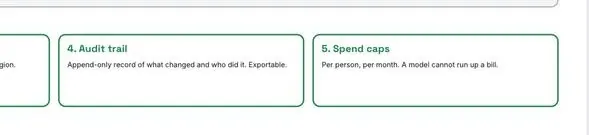
None of that means AI has no place in a business. It means the business version is a different product. It needs sign-in with roles, so each person sees only what they're allowed to. Read-only connections to the systems that matter. An audit trail nobody can quietly edit. Spend caps per person. Answers that show their source and their confidence, so a human can check them. A test set every release has to pass. A control tower watching it. And a rule, written down, that the model drafts and a person who knows the subject reviews it and carries the risk.
That's not a weekend install. It's what I spend my working week building. The personal assistant in my house taught me what the business version has to be. It is not that version.
If you're going to do it anyway
Start at home. Give it one boring job. Put a cap on the money and a watchdog on its pulse. Make everything read-only until you've seen it behave for a month. Write down what it may and may not do, and make it read that every time it wakes up. Keep a second model to check the first. Never let it send anything a human hasn't read.
And when it dies at seven in the morning, and it will, enjoy the quiet. It's the best reminder you'll get of who's actually in charge.